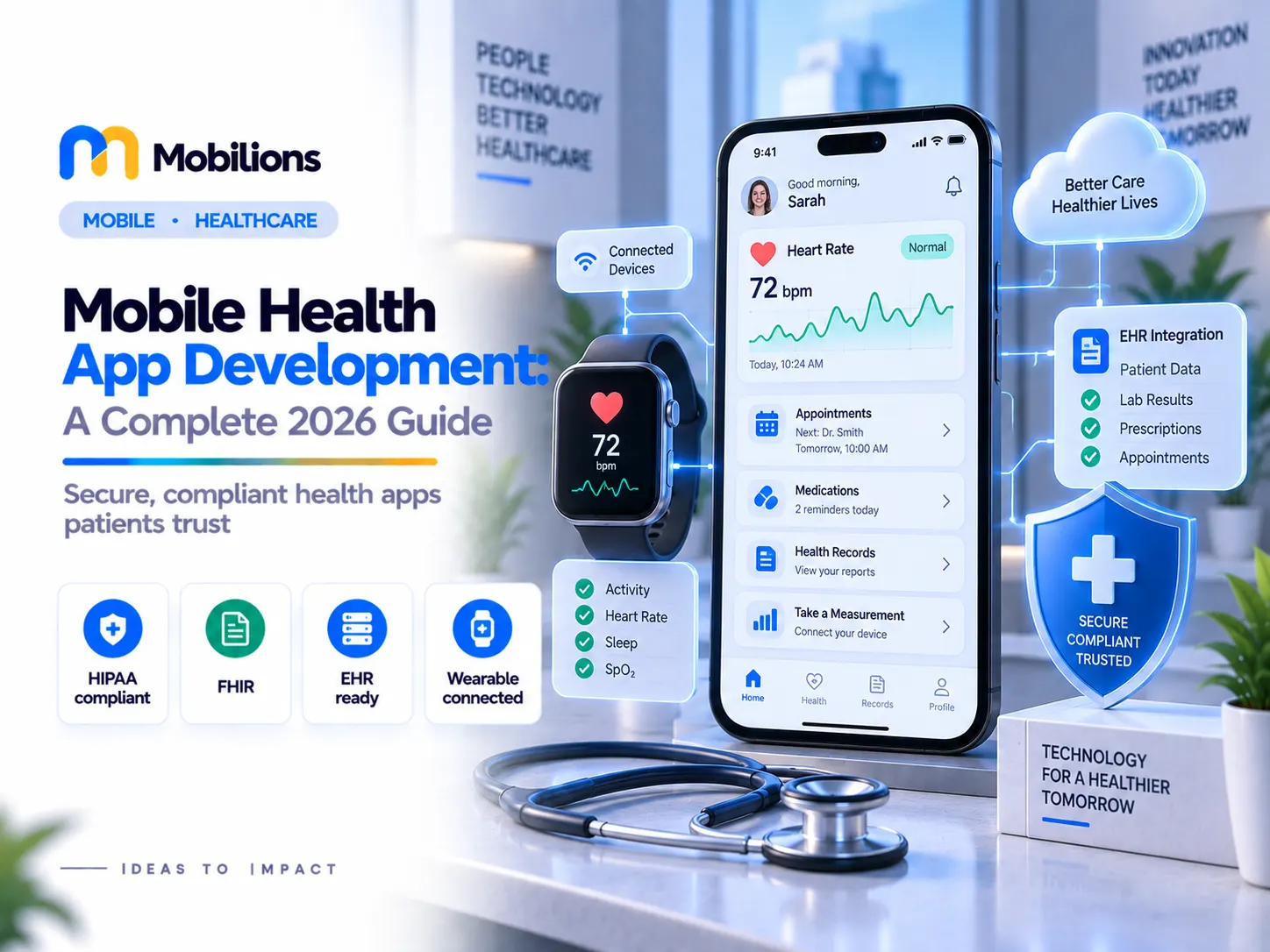
Mobile health app development is where good software meets real medical stakes. When your app tracks a heartbeat, reminds someone to take insulin, or carries a diagnosis between a patient and a doctor, a bug is not an inconvenience, it is a safety and compliance event. That single fact separates it from ordinary app work.
This guide covers what mobile health app development actually involves in 2026: the app types worth building, the features that matter, the compliance you cannot skip, real costs and timelines, and how to choose a partner. It is written from the perspective of engineers who build and support healthcare software in production, not from a brochure. If you want the broader enterprise view, see our guide to healthcare mobile app development; this one focuses on patient-facing and connected mHealth apps.
What is mobile health app development?
Mobile health app development, often called mHealth, is the process of designing, building, securing, and maintaining mobile apps that deliver health services to patients or clinicians: telemedicine, remote monitoring, medication management, fitness and wellness, and access to medical records.
The users are patients, caregivers, doctors, or all three. The data is some of the most sensitive there is. And in many cases the app influences a health decision, which can pull it into medical-device regulation. Those three realities shape every choice in a build.
The market reflects the demand. The global mHealth apps market is projected to reach about $45 billion in 2026 and more than double by the mid-2030s. But the winners are not the apps with the most screens; they are the ones users trust with their health day after day, which is earned in security, accuracy, and experience.
What types of mobile health apps can you build?
Most mHealth projects fall into a few proven categories, and knowing which one you are building sets the scope.
Telemedicine apps connect patients and clinicians for video visits, chat, and e-prescriptions. Remote patient monitoring (RPM) apps collect vitals from the patient, often through wearables, and surface them to a care team. Together with EHR/EMR access apps, these are the three highest-demand categories in 2026.
Beyond those, there are medication and chronic-care management apps, mental health and wellness apps, fitness and lifestyle apps, and clinical tools for providers. The lighter the clinical role, the lighter the compliance; a wellness step-counter is not regulated like an app that recommends an insulin dose. Naming your category early tells you honestly how heavy the build will be.
What features should a mobile health app include?
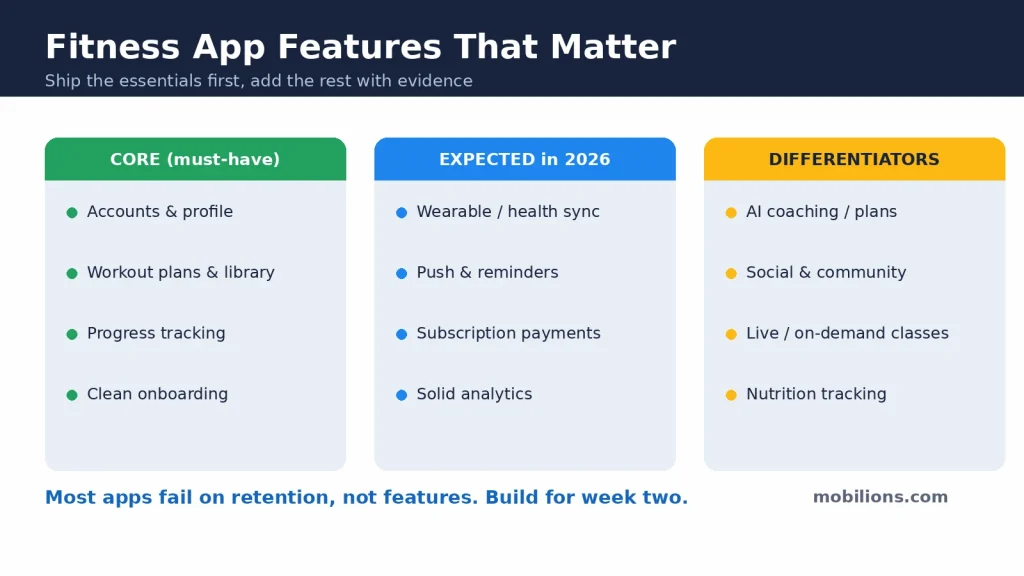
Features fall into three layers: the basics patients expect, the ones that drive retention, and the clinical and security features that make the rest safe to ship.
The basics are secure sign-in, a clear health dashboard, appointment booking, and reliable notifications. If these are slow or confusing, adoption stalls, and an unused health app helps no one.
The retention drivers are what turn an install into a habit: video consultations, secure messaging with a clinician, medication and appointment reminders, and integration with wearables and fitness trackers so data flows in automatically. In 2026, AI-assisted features like symptom triage and personalized insights are increasingly expected too, though they must be handled carefully when they touch clinical decisions.
The third layer is clinical and security capability: EHR access, e-prescriptions, consent management, audit logging, and encryption everywhere. These are not glamorous, but they are the difference between a demo and a system a hospital or patient will actually trust.
Compliance: the non-negotiable core of mHealth
In healthcare, compliance is the product, not a phase you bolt on later. This is the single most important thing to understand before you budget.
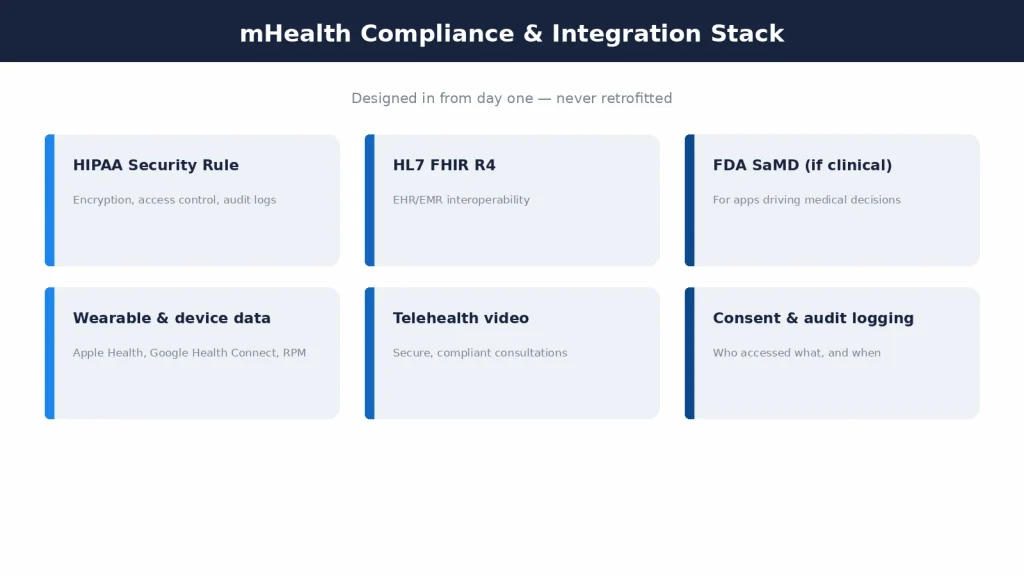
A serious mHealth app usually has to satisfy three layers. First, HIPAA in the US governs how protected health information is stored, transmitted, and accessed; building to the U.S. Department of Health and Human Services HIPAA Security Rule is mandatory for any app touching PHI, and it typically adds 20 to 30 percent to a project. Second, EHR interoperability runs on HL7 FHIR (the R4 standard), which is how your app exchanges records with hospital systems. Third, if the app drives a clinical decision, it may be classified as Software as a Medical Device and fall under FDA SaMD rules.
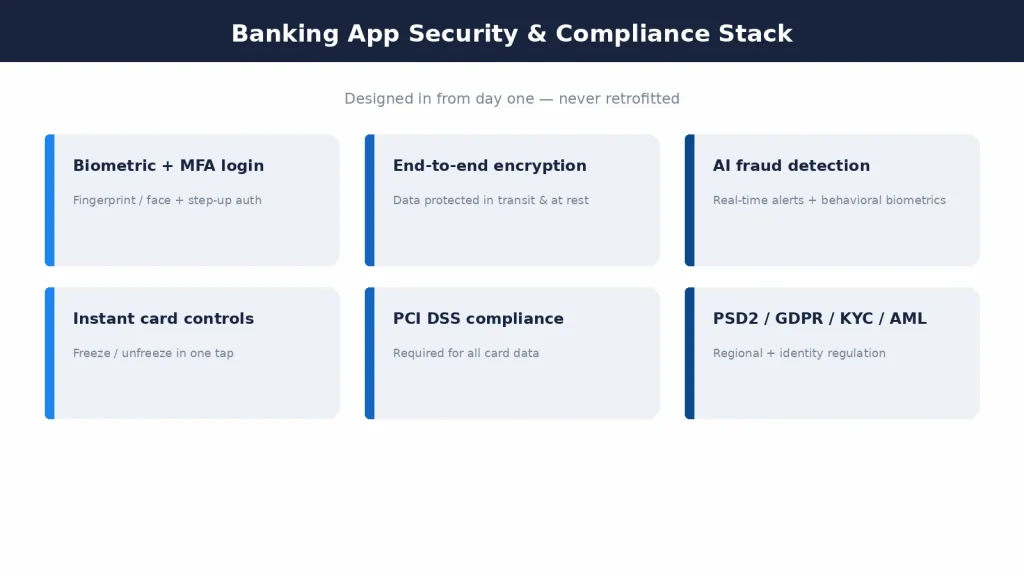
Compliance cannot be retrofitted. Encryption, access control, consent, and audit trails have to be designed into the architecture from the first commit; adding them to a finished app costs far more and often forces a redesign. A vendor who quotes mobile health app development without a detailed compliance plan has not scoped the hard part.
How much does mobile health app development cost in 2026?
Cost scales with clinical complexity, compliance, and integrations far more than with screen count. With that framing, 2026 numbers fall into clear bands.
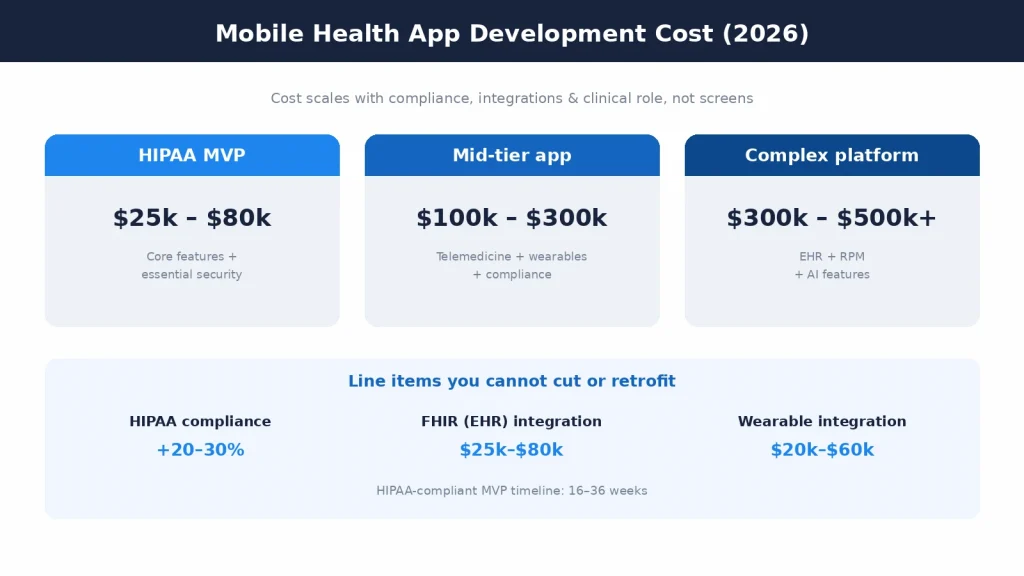
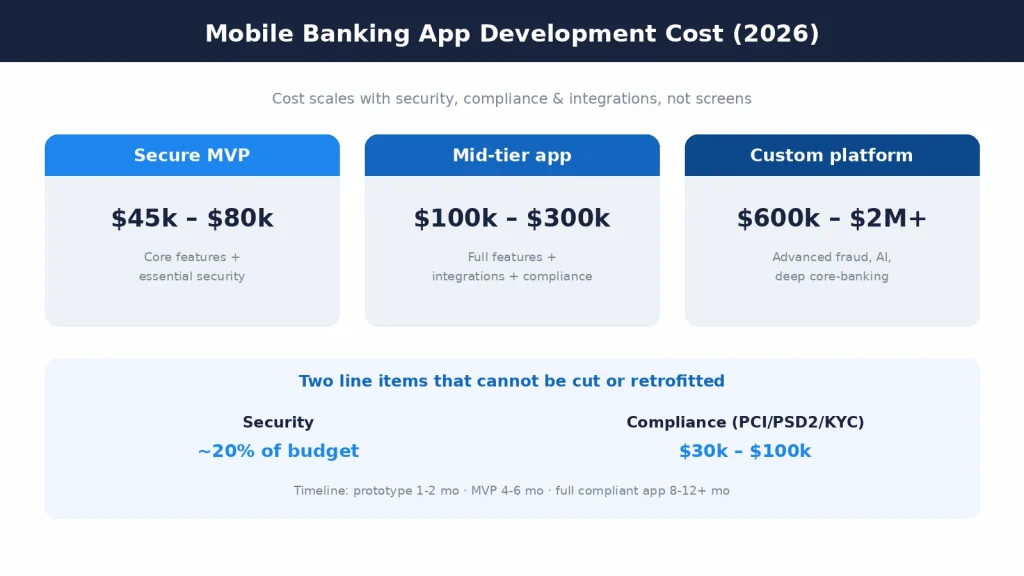
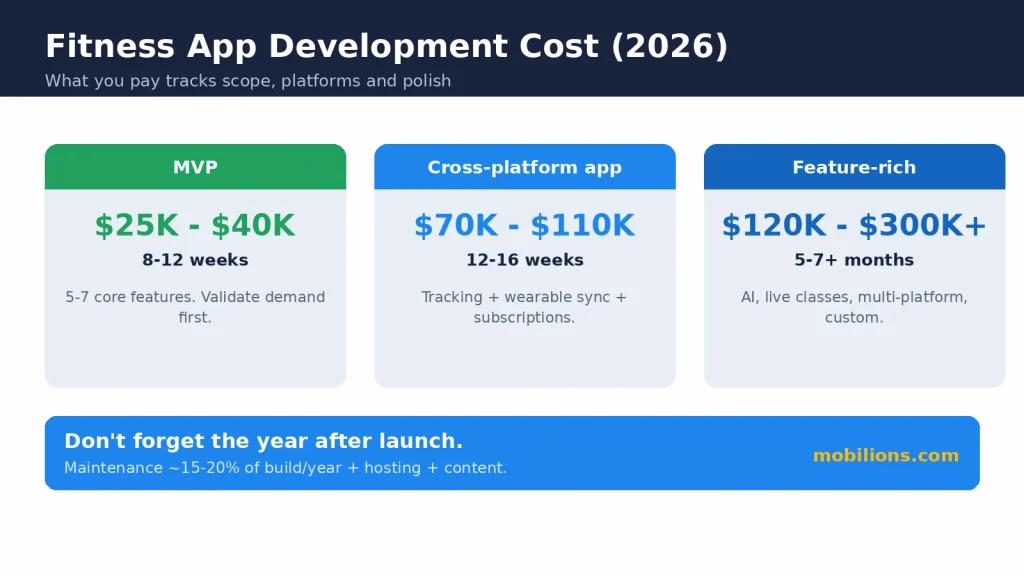
A HIPAA-compliant MVP, with core features and essential security, runs roughly $25,000 to $80,000. A mid-tier app, with telemedicine, wearable integration, and full compliance, runs about $100,000 to $300,000. A complex platform, with EHR integration, RPM, and advanced or AI features, runs $300,000 and can pass $500,000 for the largest programs.
Inside those totals, the big line items are specific. HIPAA compliance adds 20 to 30 percent. A FHIR R4 integration adds roughly $25,000 to $80,000 and 90 to 120 days. Wearable and medical-device integration to track vitals adds $20,000 to $60,000. None of these are safe places to cut, because they are exactly what makes the app usable, connected, and legal.
The most useful thing you can do for your budget is scope compliance and integrations early. That is where mobile health app development costs are made or blown, and an honest partner will tell you which band your requirements fall into before you commit.
How long does it take to build a mobile health app?
Timelines track complexity, not ambition. A HIPAA-compliant mHealth MVP typically takes 16 to 36 weeks. A full platform with EHR integration and compliance certification runs longer, often into 12 to 18 months.
The parts that extend timelines are rarely the screens. They are the FHIR integration (90 to 120 days on its own), the security hardening, the compliance work, and the testing a health app demands before it can touch real patient data. A realistic schedule builds these in rather than treating them as a final sprint.
A good partner defines milestones in discovery so you have an honest timeline before building starts, and ships in visible iterations rather than disappearing into a long black box.
Native or cross-platform for a health app?
This is a common question, and the honest answer is that both work when done right.
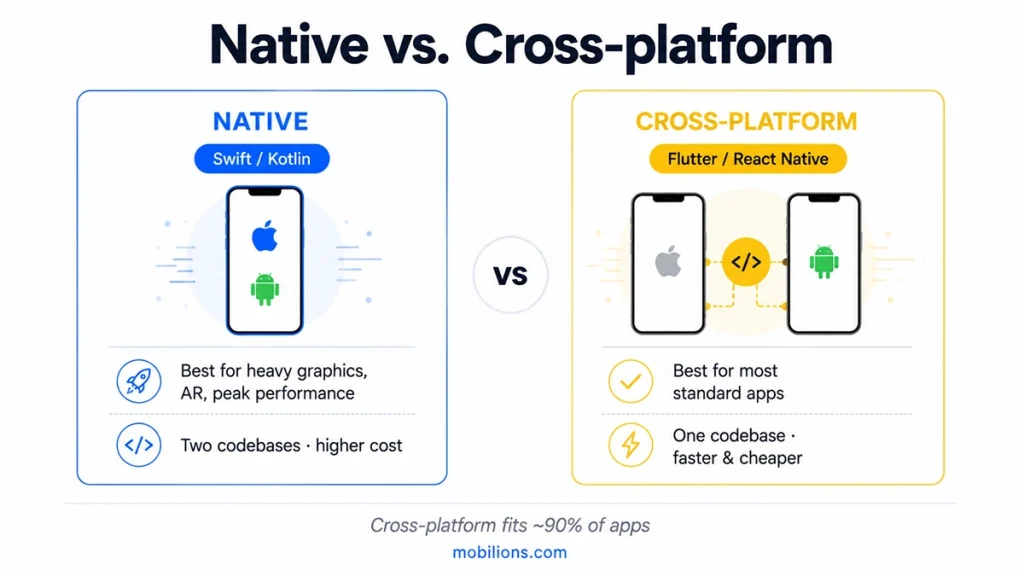
Cross-platform frameworks like React Native and Flutter serve most mHealth apps well, letting you build for iOS and Android from one codebase and roughly halving build and maintenance cost. They are entirely capable of secure, HIPAA-compliant healthcare apps; the reliability comes from the engineering, not the framework.
Native development, with Swift for iOS and Kotlin for Android, is worth it when you need the deepest device and sensor integration, the tightest performance, or the most direct access to platform health frameworks like Apple HealthKit and Google Health Connect. Many RPM apps lean native for exactly that reason.
The right call depends on your features and your data sources. A good team recommends based on your requirements, not on what it prefers to build.
Integrations that make a health app useful
An mHealth app is only as valuable as what it connects to, and each integration carries its own security and compliance weight.
The EHR/EMR integration through FHIR is the foundation for any clinical app; it is how records flow between your app and hospital systems. Wearable and device integration (Apple Health, Google Health Connect, and specific medical devices) is what powers remote monitoring and automatic vitals capture. Telehealth needs a secure, compliant video layer. And identity, payments, and pharmacy or lab integrations round out a full patient experience.
Because each of these touches sensitive data, the integration layer, not the UI, is usually where most of the real engineering time goes. This is the heart of mobile health app development, and it is what a serious healthcare software team scopes first.
Why user experience matters more in health apps
In most apps, poor UX costs engagement. In a health app, it can cost adherence, which is the whole point. If a patient cannot find how to log a symptom, book a visit, or take the right dose, the app has failed at its job even if every feature works.
Good mHealth UX means accessibility for older and impaired users, plain language over medical jargon, minimal steps for the actions that matter, and clarity under stress. It also means designing trust: people share health data only with apps that feel safe and legitimate. Design is not decoration here; it is part of the clinical outcome.
The team behind a mobile health app
A serious mobile health app development effort needs more than app developers. It needs mobile engineers for iOS and Android, backend engineers for the API and integration layer, a security specialist who owns encryption and threat modeling, a compliance lead who knows HIPAA and FHIR, a UX designer who understands clinical and accessibility needs, and QA engineers who test against real-world and adversarial scenarios.
You rarely need all of these full-time from day one, which is why many clinics and health startups work with an experienced custom software development partner who brings the compliance and integration expertise that is hardest to hire. The point is that a health app is a multi-disciplinary build, and treating it as just “an app” is exactly how the compliance and security gaps appear.
Mobile health app trends in 2026
The bar for a competitive health app keeps rising, and mobile health app development in 2026 has to account for a few clear shifts.
The biggest is AI moving into care. Symptom triage, personalized health insights, and administrative automation are increasingly expected, but they raise the compliance stakes: the moment AI influences a clinical decision, the app moves toward Software as a Medical Device territory and needs the governance to match. AI in health is powerful, but it is not a place for shortcuts.
Remote patient monitoring is the second shift. With wearables now mainstream, patients expect their vitals to flow into an app automatically and reach their care team without a manual step. This is driving RPM from a niche feature into a baseline expectation for chronic-care and post-acute apps.
Interoperability is the third. FHIR has become the common language of health data, and patients increasingly expect to see and move their records across providers from one app. An mHealth app that cannot exchange data cleanly feels closed and dated. Accessibility and multi-language support round out the modern baseline, because a health app that excludes users is both a business miss and, often, a compliance one. The takeaway is that these are core scope now, not later upgrades.
Why healthcare apps fail, and how to avoid it
Most healthcare-app trouble is predictable, and nearly all of it traces back to underestimating the hard parts.
The first mistake is treating compliance and security as a later phase. Retrofitting HIPAA controls, encryption, and audit logging into a finished app costs far more than building them in, and it often forces a rebuild. Security scoped late is security done twice.
The second is pricing screens instead of integrations and compliance. The visible app is the cheap part; FHIR integration, the security layer, and regulatory work are where the budget lives. A quote that ignores them will be wrong.
The third is ignoring adoption: an app that is clinically correct but hard to use gets abandoned, and a health app nobody opens delivers no outcomes. The fourth is shipping and stopping; a health app needs ongoing maintenance to stay compliant, secure, and current as regulations and devices change.
How to choose a mobile health app development company
The right partner talks about your compliance, your integrations, and patient safety before it talks about screens. That is the fastest signal that they have built healthcare software before.
Look for real HIPAA and FHIR experience, a documented security track record, healthcare projects in the portfolio, and a support model that lasts beyond launch. Ask how they handle PHI, consent, and audit logging, and whether they have shipped EHR or wearable integrations, because a team that has done this will have clear answers.
Be cautious of quotes that price only the visible app, and of anyone promising a fully compliant health app on a consumer-app budget and timeline. Ownership matters too: you should own the code, the infrastructure, and the data pipelines, with no lock-in.
Why some health apps cost $50k and others $500k
The same phrase, mobile health app development, can describe a $50,000 project and a $500,000 one, and the gap confuses a lot of founders. The difference is almost never the number of screens.
A $50,000 app is usually a focused MVP: one clear use case, a handful of features, standard authentication, and light or no clinical role. A $500,000 app carries deep EHR integration through FHIR, remote monitoring with medical-device data, telehealth video, multiple user roles, formal compliance certification, and often AI. Each of those is a serious engineering workstream, not a screen.
Three factors drive most of the spread: compliance depth (a wellness tracker versus an FDA-regulated clinical tool), integration count (a standalone app versus one wired into hospital systems and devices), and data sensitivity (how much protected health information flows through it). Understand those three and the price stops being a mystery. It also means the honest first step is scoping, because a vendor who quotes before understanding your clinical role and integrations is guessing.
A quick example: what an mHealth build looks like
Consider a clinic that wants a remote patient monitoring app for chronic-care patients. It needs secure login, a patient dashboard, automatic vitals from a wearable, alerts to the care team, secure messaging, and integration with the clinic’s EHR, all under HIPAA.
The scope decisions follow directly. Cross-platform on React Native to reach iOS and Android affordably, or native if the wearable integration demands it. A FHIR R4 integration to exchange records with the EHR. Wearable integration through Apple Health and Google Health Connect for vitals. Encryption everywhere, consent management, and audit logging from day one, with a compliance workstream running in parallel.
Notice what drove every decision above: not the number of screens, but the systems the app had to connect to and the health data it carried. Change the EHR, the device, or the clinical role and the estimate changes with it. The screens were the fastest part to build and the least important to the outcome.
On these requirements the project lands in the mid-to-complex band, and the FHIR integration, wearable work, security, and compliance, not the screen count, set the price and the timeline. That is mobile health app development in one concrete picture: the app is the easy part, and the trust and connectivity underneath it are the real product.
Frequently asked questions
What is mobile health app development?
Mobile health app development (mHealth) is building mobile apps that deliver health services to patients or clinicians, such as telemedicine, remote monitoring, medication management, and records access, engineered to protect sensitive health data and meet regulations like HIPAA.
How much does it cost to build a mobile health app in 2026?
A HIPAA-compliant MVP runs about $25,000 to $80,000, a mid-tier app with telemedicine and wearables about $100,000 to $300,000, and a complex EHR-integrated platform $300,000 or more. HIPAA adds 20 to 30 percent, a FHIR integration $25,000 to $80,000, and wearable integration $20,000 to $60,000.
Does my mobile health app need HIPAA compliance?
If it stores, transmits, or accesses protected health information in the US, yes, HIPAA is mandatory. Apps that exchange records with hospitals also need HL7 FHIR, and apps that drive clinical decisions may fall under FDA Software as a Medical Device rules. Compliance must be built in from the start.
How long does it take to build a mobile health app?
A HIPAA-compliant MVP typically takes 16 to 36 weeks; a full platform with EHR integration and compliance certification runs 12 to 18 months. FHIR integration alone adds 90 to 120 days, and security and compliance testing extend timelines further.
What features should a mobile health app have?
Core features are secure login, a health dashboard, appointment booking, and notifications. High-value features are video consultations, secure messaging, medication reminders, and wearable integration, all wrapped in encryption, consent management, and audit logging.
Can React Native be used for serious healthcare apps?
Yes. React Native and Flutter are fully capable of secure, HIPAA-compliant health apps, and cross-platform roughly halves cost. Native (Swift/Kotlin) is worth it when you need the deepest device, sensor, or health-framework integration, common in remote monitoring apps.
How do you protect patient data in a health app?
Through end-to-end encryption in transit and at rest, strong authentication, least-privilege access control, consent management, secure local storage, and full audit logging, all aligned to the HIPAA Security Rule and designed in from the first commit rather than added later.
How do you choose a mobile health app development company?
Choose one that scopes compliance, integrations, and patient safety before pricing screens, has real HIPAA and FHIR experience, shows healthcare projects, supports the app beyond launch, and hands you full ownership of the code and data.
Build a health app patients and clinicians can trust
Mobile health app development succeeds or fails on the parts users never see: the compliance, the integrations, and the security. If you are scoping a health app and want an honest read on cost, timeline, and what production really requires, talk to Mobilions. Senior engineers who build healthcare and mobile apps scope it, build it, secure it, and support it in production, with compliance planned from day one.

Dhaval Patel is a Senior Mobile Developer at Mobilions with deep, hands-on experience shipping Android, iOS, and cross-platform apps. He has helped build products used by teams across 20+ countries. He writes practical guides on mobile app development, app performance, and the real-world trade-offs of building for phones and tablets.