
AI agents for workflow automation are agents that do not just follow a fixed set of steps, they decide what to do next to finish a job. Classic automation runs a rigid if-this-then-that recipe; an AI agent reads the situation, chooses the path, and handles the messy cases a fixed rule would break on. That shift is why automation is suddenly getting smarter, and why so many teams are moving from simple triggers to agents that can actually think through a task.
This guide is the practical version. It covers what AI agents for workflow automation really are, how they differ from traditional automation, what they are good at, the real returns teams are seeing, the main tools (n8n, Zapier, Make), and the honest question of when an off-the-shelf tool is enough versus when you should build a custom agent. The numbers below are industry figures, not promises, and we flag what is a benchmark versus a guarantee.
Key takeaways
- AI agents for workflow automation decide the steps to finish a task, while traditional automation follows fixed rules. Agents handle the messy, variable cases that break a rigid recipe.
- Adoption is real: a PwC survey found 79 percent of organizations already run AI agents in production, with average workflow-automation ROI around 171 percent.
- The strongest use cases are repetitive, multi-step, cross-app jobs: lead research and enrichment, support triage, data entry and reconciliation, reporting, and document processing.
- n8n, Zapier, and Make are the leading platforms. n8n is strongest for AI-agent workflows and self-hosting, Zapier is the fastest for non-technical teams, Make sits in between.
- Off-the-shelf tools cover a lot, but a custom agent wins when the work touches your private data, complex logic, or systems a platform cannot reach. Many teams use both.
What are AI agents for workflow automation?
A workflow automation is a sequence of steps a computer runs for you: when a form is submitted, add a row, send an email, notify a channel. It is fast and reliable, but it only does exactly what you scripted. An AI agent adds judgment on top. Given a goal, it can read inputs, decide which step to take, use tools and apps to act, and adapt when something does not fit the template. In short, traditional automation follows a recipe; an agent can cook without one.
That is why the phrase AI agents for workflow automation matters. You are not just connecting apps, you are putting a decision-maker inside the flow that can handle the 20 percent of cases a fixed rule cannot. The agent still works through your tools, but it chooses the path rather than replaying a fixed one.
AI agents vs traditional workflow automation
The difference is easiest to see side by side.
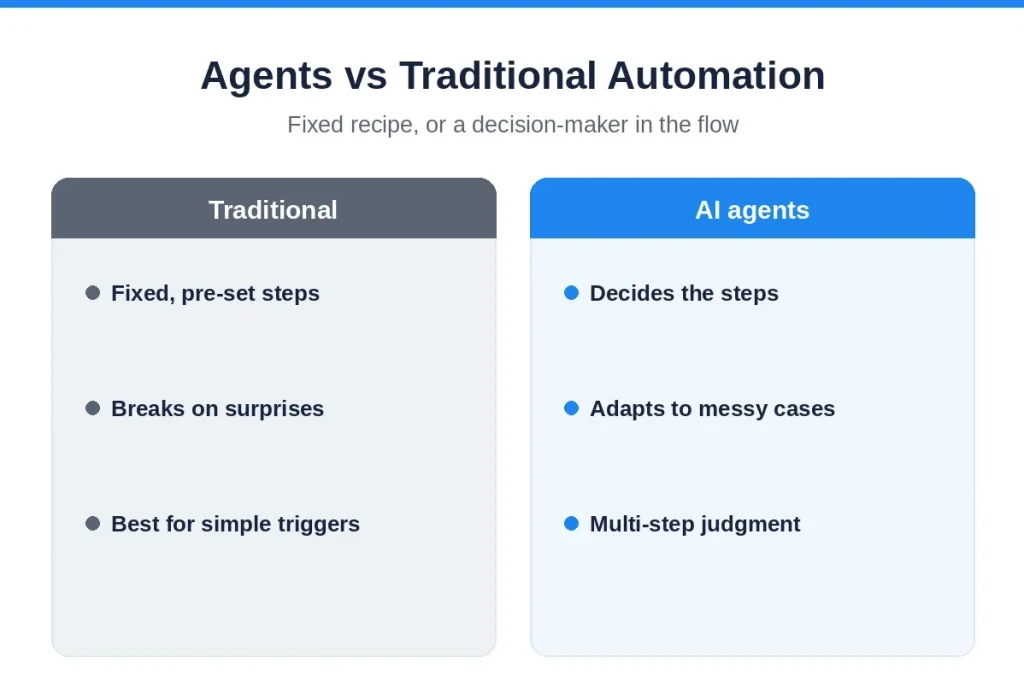
| Traditional automation | AI agents | |
|---|---|---|
| How it works | Fixed, pre-set steps | Decides steps toward a goal |
| Handles variation | Breaks on anything unexpected | Adapts to messy, new cases |
| Best for | Simple, predictable triggers | Multi-step, judgment-heavy work |
| Setup | Quick, rule-based | More design, but more capable |
| Risk | Does the wrong thing silently if inputs change | Needs guardrails and human checkpoints |
Neither is better in the abstract. A fixed automation is perfect for a simple, predictable task, and cheaper to run. An agent earns its place when the work varies, spans several systems, or needs a decision in the middle. The skill is knowing which one a job actually needs, and a good partner will tell you when the simple option wins.
What AI agents automate best
The clearest wins are repetitive, multi-step jobs that cross several apps and need a little judgment. Common examples in 2026:
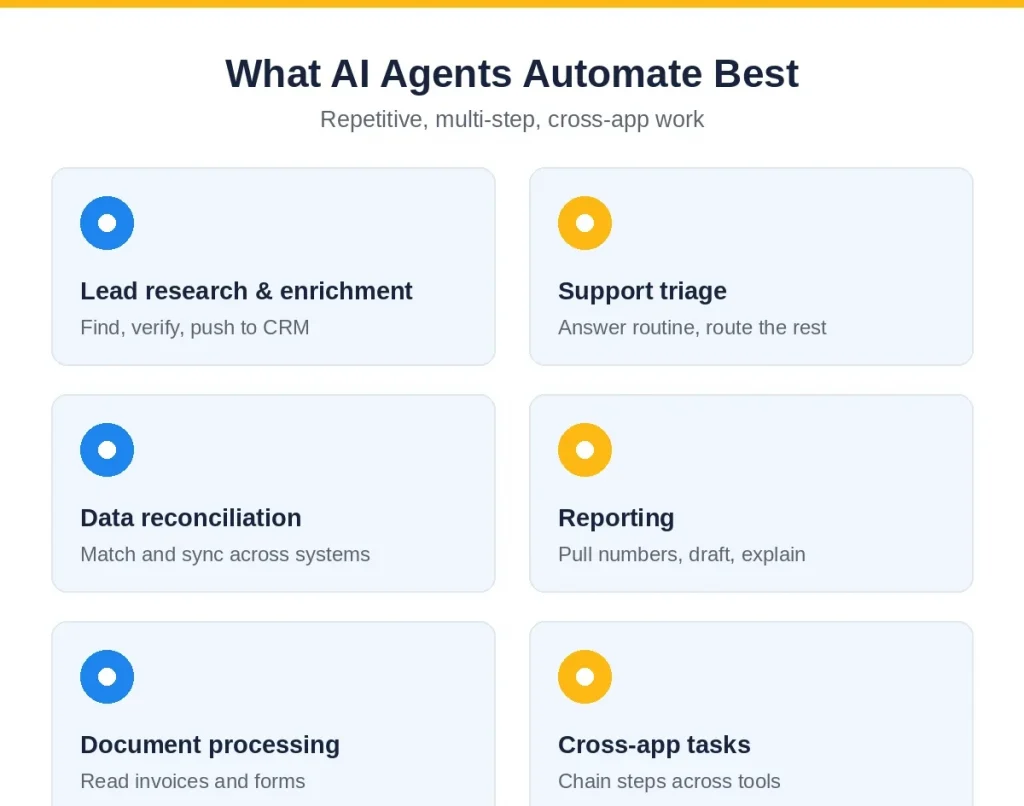
- Lead research and enrichment. An agent searches the web, pulls and verifies company data, formats it for your CRM, and posts a summary to Slack, the kind of flow that saves a sales team hours a day.
- Support triage. Reads incoming tickets, answers the routine ones, and routes the rest to the right person with context attached.
- Data entry and reconciliation. Moves and matches data across systems, flags mismatches, and keeps records in sync without manual copy-paste.
- Reporting. Pulls numbers from several tools, drafts the report, and explains what changed, on a schedule.
- Document processing. Reads invoices, forms, or contracts, extracts the fields that matter, and routes them for approval.
- Multi-step cross-app tasks. Any job that today needs a person to click through five tools in order is a strong candidate.
The ROI: what teams are actually seeing
The adoption numbers are striking. A PwC survey found 79 percent of organizations already run AI agents in production, with average return on workflow automation around 171 percent, and 62 percent of companies reporting returns above 100 percent. Teams implementing automation have reported 30 to 200 percent first-year ROI, and up to 300 percent over the longer term. One widely cited example: a company reclaimed around a million dollars in revenue and saved 282 workdays a year with an automated lead-enrichment workflow.
Treat these as benchmarks from teams that implemented well, not guarantees. The gains are real when the use case fits and the workflow is built with care, and close to zero when a tool is switched on and left unwatched. The point is that the ceiling is high, which is why adoption is moving so fast. For more on the underlying technology, IBM’s primer on AI agents is a solid, vendor-neutral read.
The main tools: n8n, Zapier, and Make
Three platforms dominate AI workflow automation in 2026, and they suit different teams.
- n8n. The strongest of the three for AI-agent workflows, with native LangChain integration, a large set of AI nodes, persistent memory, and the only self-hosting option for data control. Best when you want power and to own your data. See n8n.
- Zapier. The fastest path from idea to live automation, rebuilt in 2026 with an AI orchestrator and hundreds of AI actions. Best when your team is non-technical and lives across many SaaS tools.
- Make. Sits between the two, with a visual builder and good value for moderately complex flows.
One practical note on cost: billing models differ a lot. For a high-volume workflow, n8n (which bills per execution and can self-host) can be far cheaper than Zapier (which bills per task) at scale. Pick on your team’s skill, your data needs, and your volume, not on the brand.
Off-the-shelf tools or a custom agent?
This is the real decision, and it maps onto our two core services. For general, cross-app busywork, an off-the-shelf platform like n8n or Zapier is often the right call, fast, cheap, and good enough. You should build a custom agent when the work touches your private data, depends on logic specific to your business, needs to reach systems a platform cannot, or has to meet compliance and control requirements a shared tool cannot guarantee. When an automated workflow becomes a customer-facing product, iOS app development, Android app development, Flutter development, and React Native development are practical paths; teams that need ongoing delivery can hire dedicated engineers.
In practice many companies do both: a platform for broad productivity, and a custom build for the core, high-value workflows that are specific to how they operate. Designing that core agent is exactly our agentic AI development work, and wiring it into the systems and logic your business runs on is our custom software development. The honest answer is almost always a mix, and the skill is drawing the line in the right place.
How to start with AI workflow automation
Start small and prove it. A few steps keep you out of trouble.
- Pick one high-pain workflow. Choose a repetitive, multi-step task where a mistake is cheap, and define success in hours saved or errors cut.
- Keep a human on consequential steps. Let the agent draft, fetch, and prepare, but keep a person approving anything that sends, spends, or changes a record.
- Use least-privilege access. Give the agent only the access it needs, so a mistake has a small blast radius.
- Measure, then expand. Compare against your baseline for a few weeks, keep what pays, and add the next workflow once the first proves itself.
The risks, and where a human stays
An agent that decides and acts can decide and act wrongly, so guardrails are not optional. Keep a human approving anything consequential, give the agent least-privilege access, log its decisions so failures are traceable, and evaluate it on real cases before you trust it. The teams that get burned are the ones that hand an agent broad access and walk away. Used with care, agents take the busywork and leave the judgment to people, which is exactly the point. For customer-facing workflows, mobile app development services can provide a controlled interface for approvals.
How Mobilions helps
We help companies figure out what to automate, whether an off-the-shelf tool is enough, and when a custom agent is worth building, then we build and support it. Our two core services cover both sides of this: agentic AI development for the decision-making agents, and custom software development for the systems and integrations they run on. We also build standard AI automation where a simpler flow is the better fit.
Mobilions has delivered software and AI since 2016, more than 250 projects for over 100 clients across 20-plus countries, with senior engineers who scope, build, and support the work. If you want a straight read on which workflows to automate and how, book a discovery call.
Frequently asked questions
What are AI agents for workflow automation?
AI agents for workflow automation are agents that decide the steps needed to finish a task, rather than following a fixed script. Given a goal, an agent reads inputs, chooses what to do, uses your apps to act, and adapts to cases a rigid rule would break on, which makes automation smarter and more flexible.
How are AI agents different from traditional automation?
Traditional automation follows pre-set, fixed steps and breaks when something unexpected happens. An AI agent decides the steps toward a goal and adapts to variation. Traditional automation is best for simple, predictable triggers; agents are best for multi-step, judgment-heavy work across several apps.
What is the ROI of AI workflow automation?
Industry figures are strong: a PwC survey found 79 percent of organizations run AI agents in production with average ROI around 171 percent, and teams report 30 to 200 percent first-year returns, up to 300 percent long term. These are benchmarks from good implementations, not guarantees.
What tasks can AI agents automate?
Repetitive, multi-step, cross-app jobs: lead research and enrichment, support ticket triage, data entry and reconciliation, scheduled reporting, document processing like invoices and forms, and any task that today needs a person to click through several tools in order.
Which is the best AI workflow automation tool, n8n, Zapier, or Make?
It depends on your team. n8n is strongest for AI-agent workflows and is the only self-hosting option, good for power and data control. Zapier is the fastest for non-technical teams across many SaaS tools. Make sits in between. Choose on skill, data needs, and volume, not brand.
Is n8n cheaper than Zapier?
Often, at scale. n8n bills per workflow execution and can be self-hosted, while Zapier bills per task, so for high-volume workflows n8n can cut costs substantially. For low volume or non-technical teams, Zapier’s speed and ease can be worth the higher per-task price.
Should I use an off-the-shelf tool or build a custom AI agent?
Use an off-the-shelf tool like n8n or Zapier for general, cross-app busywork where speed matters. Build a custom agent when the work touches private data, needs business-specific logic, must reach systems a platform cannot, or has compliance needs a shared tool cannot meet. Many teams use both.
Can AI agents replace employees?
Usually no. Agents take over repetitive, multi-step busywork so people spend time on judgment, relationships, and decisions. The strongest setups keep a human approving anything consequential. The work shifts up the value chain rather than simply disappearing.
How do I start with AI workflow automation?
Pick one high-pain, repetitive workflow where mistakes are cheap, keep a human on consequential steps, give the agent least-privilege access, and measure the result against your baseline. Prove it pays, then expand to the next workflow. Do not try to automate everything at once.
Are AI agents for workflow automation safe?
They can be, with guardrails. Keep a human approving consequential actions, use least-privilege access so a mistake has a small blast radius, log every decision for traceability, and evaluate the agent on real cases before trusting it. The risk comes from handing broad access and walking away.
Note: ROI and adoption figures are 2026 industry benchmarks (incl. PwC), not guarantees. Tool details reflect the 2026 market and can change.

Mayank Makwana is an AI Solution Architect and Full Stack Developer at Mobilions, where he designs and ships production AI systems — grounded, governed, and owned by the client. He specializes in LLM applications, retrieval-augmented generation (RAG), and AI agents, and also builds modern web applications. He writes senior-level guides on AI architecture, applied machine learning, and web engineering.